Document management that checks every file at the door.
Peaplexa scans each upload before processing it. A file the scan blocks is never processed. Every version is kept, every document is classified, and each organization's documents stay with its members.
A file is checked before anyone works with it
Every upload, and every new version, goes through a security scan first. Only a file that passes is processed. A file the scan blocks never is, and its page says what to do next.
- Upload, from the upload form or a watched folder.
- Security scan: Waiting for scan, Scanning, then Scan passed.
- Processing, then Processed.
- Or the scan ends at Blocked by the scan, and the version is Not processed.
A blocked file is never processed
Retry is not offered. The notice on the version names the problem and offers the fix: a new version.
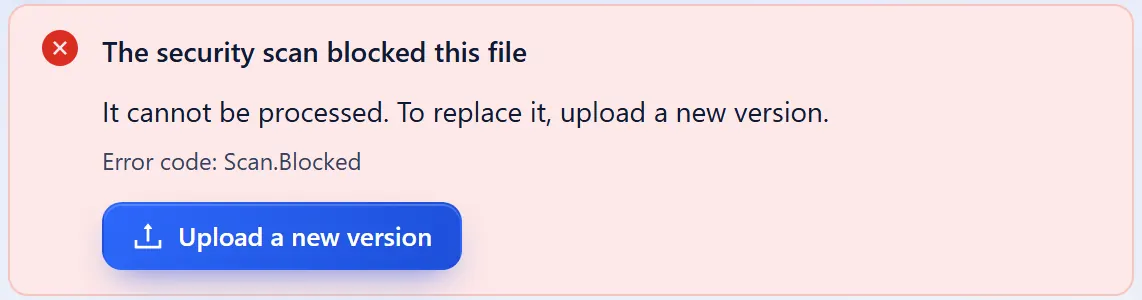
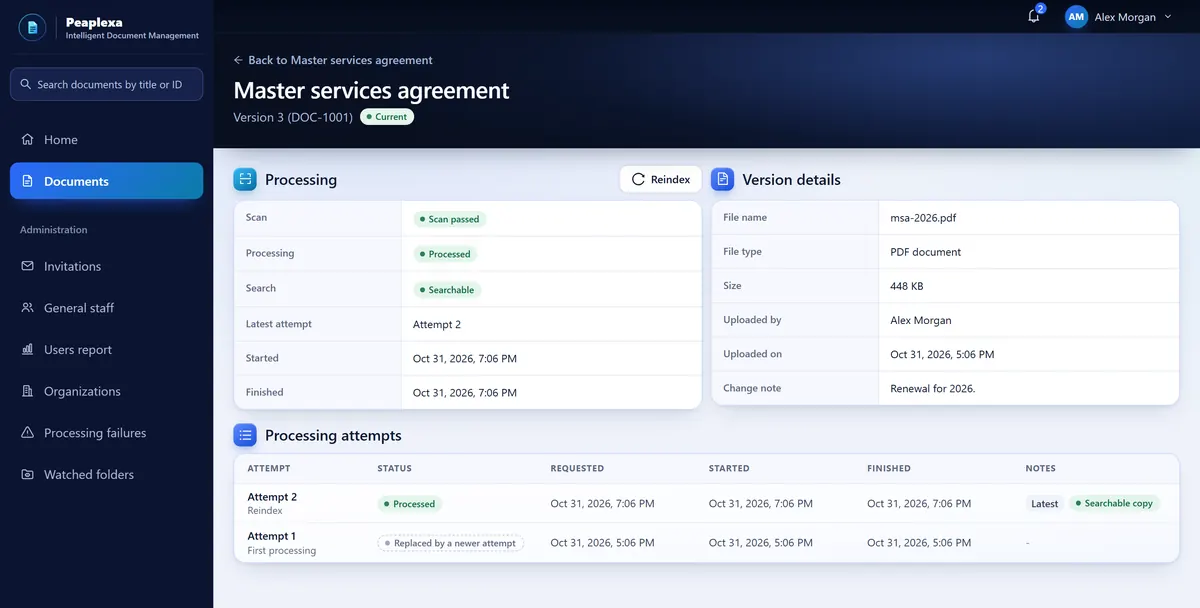
Both results, in words
The version page shows the scan and processing state, and every attempt with its times.
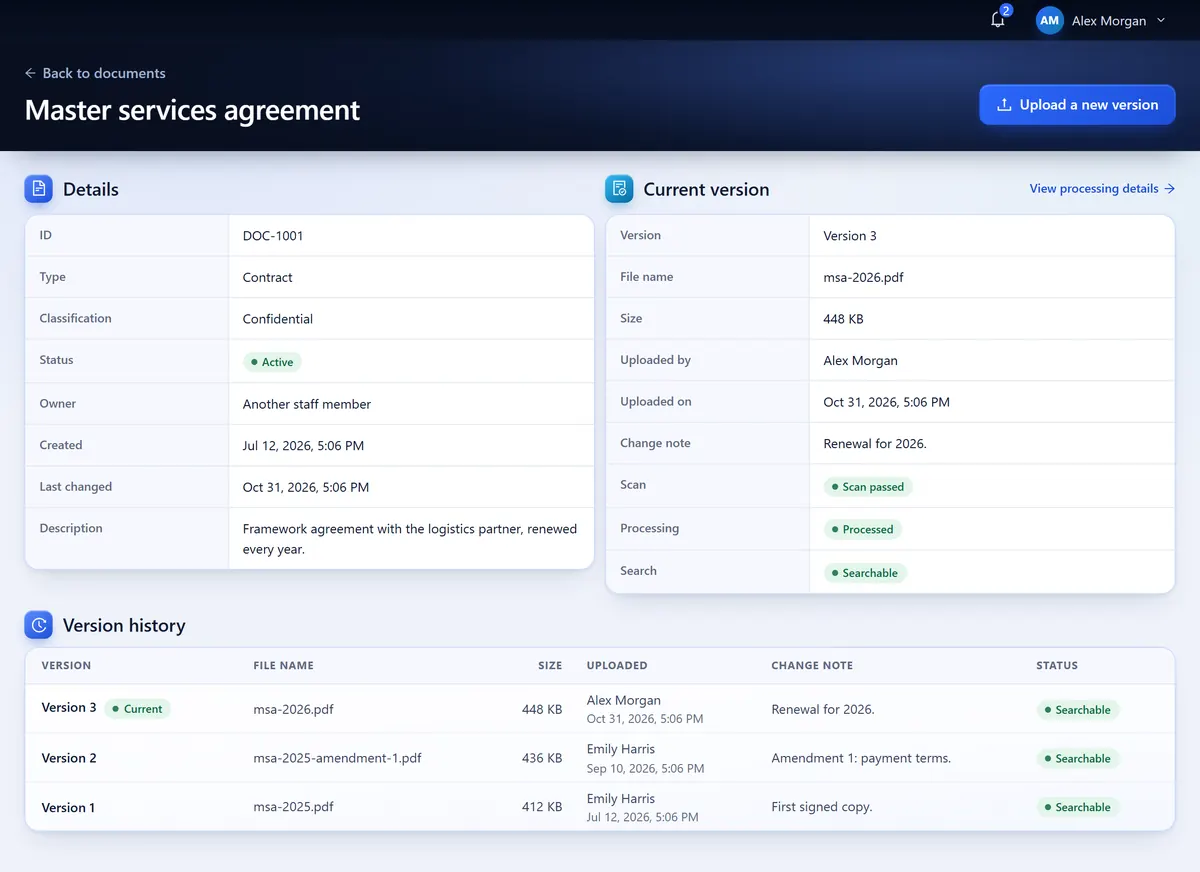
Every version stays on the record
Upload a corrected file and it becomes the current version. The earlier ones stay listed with who uploaded them, when, and the change note that says why.
Who adds a version
An Org Admin, or the Document Manager who owns the document.
Only real changes
A file identical to the current version is refused, so the history shows real changes.
One document, not two
Send the same upload again after a dropped connection and you still get one document.
A workspace for each organization
Each person has a role in a workspace, and can hold a different role in another. Client and vendor contacts see only the exact versions shared with their company.
Roles in the workspace
Org Admin, Document Manager and Member, set by the workspace's Org Admin.
Your organization's workspace
- Org AdminAdds members, sets their roles and manages client and vendor companies.
- Document ManagerUploads documents, and revises and shares the ones they own.
- MemberFinds and reads the workspace's documents.
A client or vendor company
- Portal UserOpens only the versions shared with their company.
Sharing with clients and vendors
An Org Admin, or the Document Manager who owns it, shares one exact version with a company.
What comes next
The server side of each is built. Their screens are being finished and tested.
Search and PDF viewer Coming soon
Search the text of the documents you may open, and open the PDF at the matching passage. Today the library finds documents by title or ID.
Sign-up by email Coming soon
Create your organization with a work email and become its first Org Admin. Today the Peaplexa team sets up each organization.
For your security review
The Security page explains, in plain terms, what the product does today and nothing more.
Scanned first
Every upload is scanned for threats before it is processed.
Checked on every request
The server checks each request against the person's role in that workspace.
Access token in memory only
It never goes into local or session storage. The refresh token sits in an HttpOnly cookie.
Shared on purpose
Client and vendor contacts open only the versions shared with their company.
See a file go through Peaplexa
Tell us about the documents you keep and who needs them. We will walk you through an upload, its scan, its versions and who can open it.